Local-first AI notebook

The notebook your agent can
actually open.

Write in markdown. Search your own notes on this machine. Connect Grok, Codex, Claude Code, or Cursor — they plan in the same files you see in Plume.

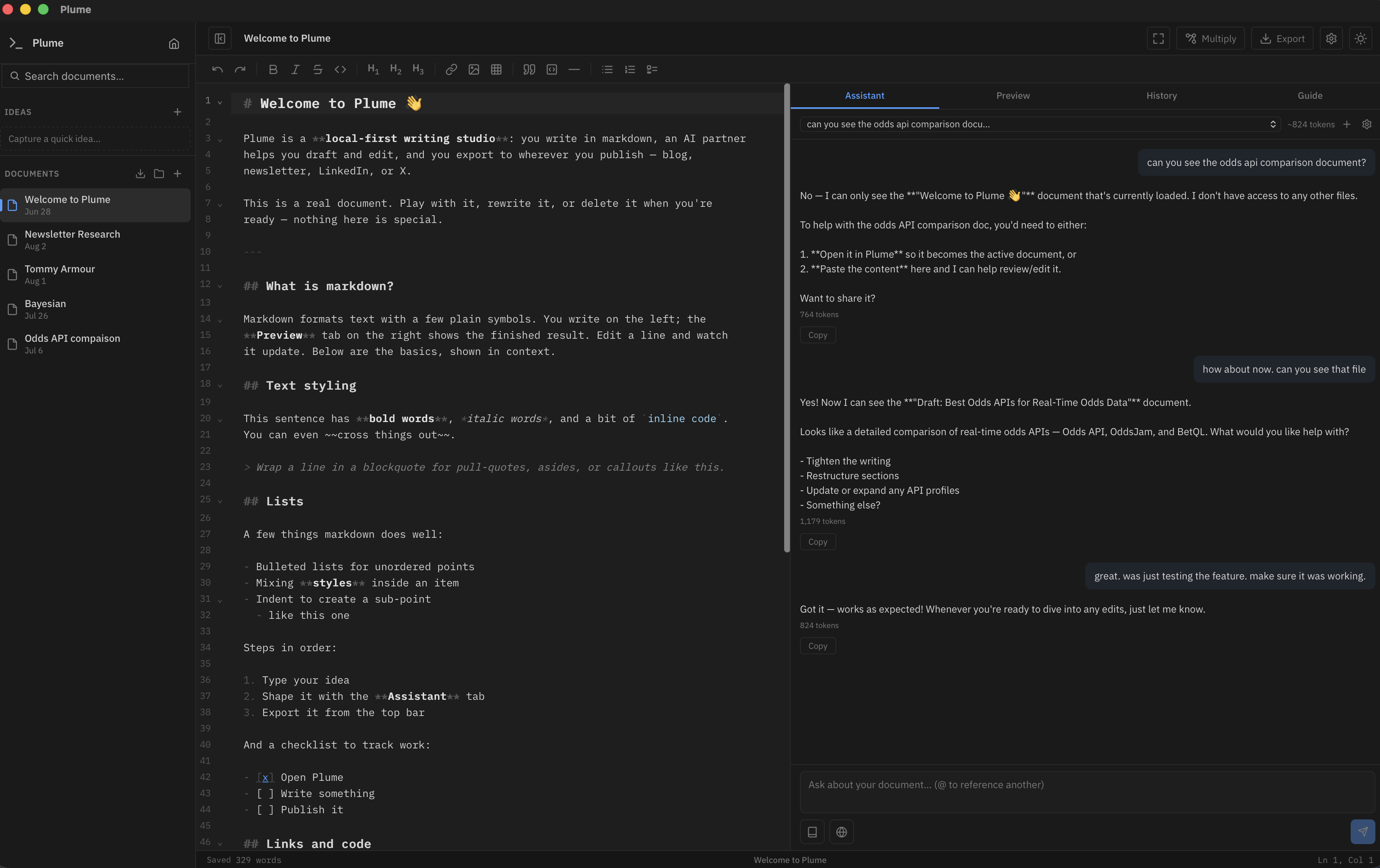
plume — welcome.md
Plume — markdown notebook with an AI assistant that searches your own documents
You

A private notebook

Markdown on the left, a live preview on the right. An AI partner that can search everything you’ve gathered — notes, PDFs, Word files — without sending the corpus out.

  • Editor + preview — one markdown engine for both
  • Search your notes — on-device embeddings, opt-in
  • Sources — import as editable docs or read-only reference
  • Ideas inbox — capture a thought without leaving the page
Your coding agent

Same notebook, via MCP

The agent launches a small local server. It reads and writes project plans even when Plume is closed. Nothing is uploaded. Settings → Agents copies the snippet.

  • Grok, Codex, Claude Code, Cursor
  • list / read / update plans in your projects
  • stdio — no open window, no token, no cloud
  • Same SQLite file the app uses
On this machine

What the workspace holds

Not a wall of features. Three jobs the notebook is built to do.

01

Gather

Drop markdown, text, PDF, or Word. Keep a piece as a document you edit, or as a Source the assistant can search. Projects group related pages; Ideas holds the scraps.

Import Projects Ideas inbox Version history
02

Think

Chat with the open page. Search your notes on-device. Rewrite a sentence in place. Set Voice & tone once. Turn web search on only when you want it.

Streaming chat Your connector Local search Inline edit
03

Hand off

Leave it in the notebook, reshape it for another format, or export to Word, HTML, markdown, or a social paste. A coding agent can keep the living plan here while it works in the repo.

MCP agents Word / HTML Multiply Clipboard export
How it flows

One place for the work

Capture, think, keep the plan. The window and the agent share the same files.

01 — Capture

Put it in the notebook

Start a page, drop a file, or park a half-formed idea. Projects keep a piece of work together.

02 — Think

Ask the notes, or the agent

Search what you’ve written. Draft in the assistant. Or let a coding agent update the plan over MCP.

03 — Keep

Stay, or take it out

The plan lives here. Export to Word or HTML when something has to leave the machine.

Your notebook, your machine

Local-first and bring-your-own-key. Notes, sources, the search model, and the plans your agent writes stay on disk. No subscription.

Free & open source · Anthropic, OpenAI, Grok, OpenRouter, or your own endpoint